Morcus Release (February 2025 #1)
See the updates live, browse the code, or get the Docker image.
Breaking changes
Reader page URLs
Previously, a link to Book 1, Chapter 2, Section 6 would look end with /author/workName?id=1.2&l=5
In the latest update, this has been cleaned up to the more intuitive /author/workName?id=1.2.6.
To support an upcoming feature (dynamic sizing of pages in the reader), using the relative number of
the target section (l=5 in the link above) is deprecated, so the old links won’t work anymore. Please
update any existing links.
The Morcus team apologizes for any inconvenience.
Features
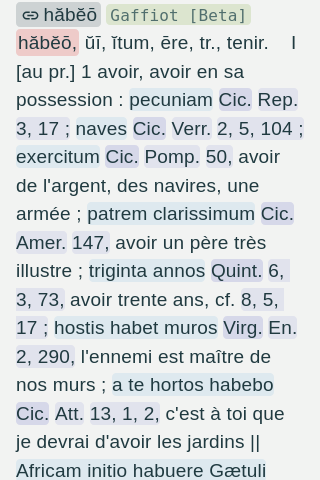
Basic Gaffiot support
We now have Gaffiot entries!
The main text of the entries is available, but the following is in progress:
- Indentations for divisions of the text
- Entry outlines
- Inflection support
No more auto-expansions
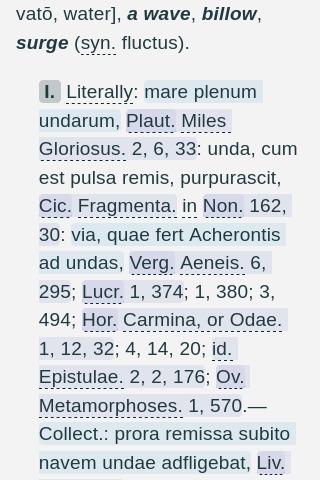
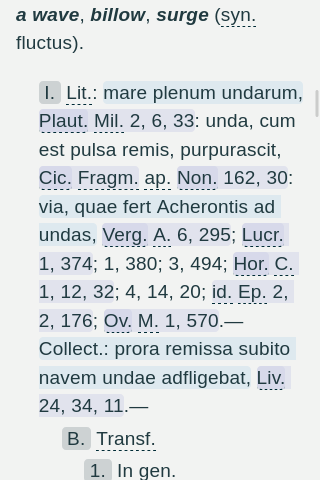
Previously, the dictionaries auto-expanded some abbreviations where we had a high confidence of the meaning of an expansion. However, there have been a fair number of edge cases where the auto-expansions have resulted in misleading or just incorrect replacements.
As a result, this release removes all auto-expansions. You can still see the possible expanded forms by clicking on abbreviated text.
| Old | New |
|---|---|
 |
 |
Reader navigation
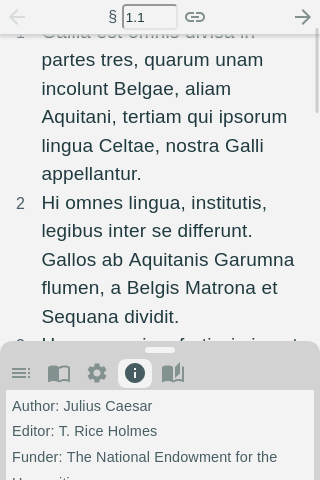
The jump to section search box has been moved into the top bar. You can quickly navigate to any section with an ID using this box.
Taking De Bello Gallico, which has Book, Chapter, and Section divisions:
- Searching
2.1would take you toBook 2,Chapter 1. - Searching
3.2.7would take you toBook 3,Chapter 2and scroll down toSection 7. - If you’re already on
3.2, searching3.2.7will just scroll down toSection 7, as expected.
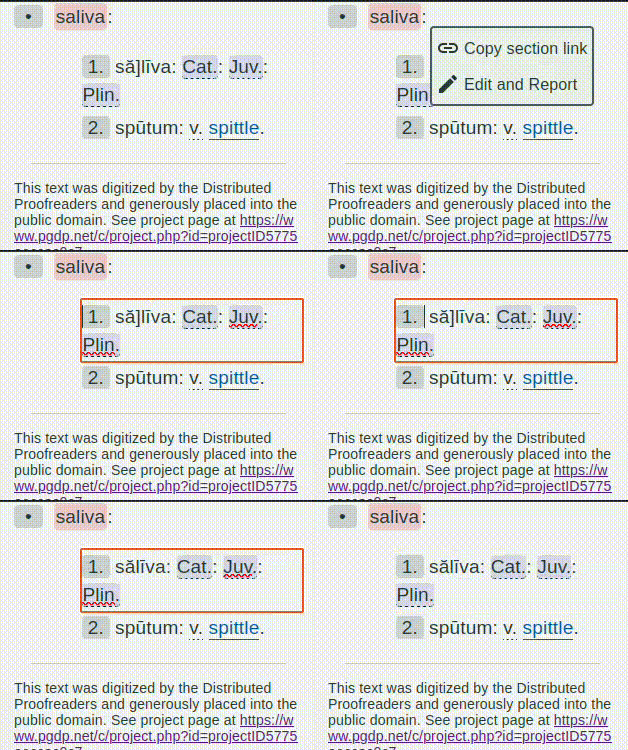
Report typos by editing
You can now report typos in the dictionaries or the library by editing within the site UI.
To do this:
- Click on any section header that would have had a link before.
- Click the
Edit and Reportoption. - Edit the text.
- Click away from the element you edited.
This will automatically send an issue report to the Morcus team.
NOTE: Edits need to be manually reviewed. The edits you make are temporary and local (so if you refresh or share a link, the edit won’t persist).
Performance
brotli compression
The main app bundle is now pre-compressed using brotli at the highest-level setting. The download size of the site is reduced by about 15% (98 kB -> 84 kB) for browsers that support brotli.
Caching of dynamic data
Previously, dyanmically fetched data (such as dictionary entries or texts from the library) were not cached.
What this means is that previously if you opened a dictionary entry, pressed back, and then forward again, your browser would need to fetch the entry from the server again. Similarly, if you opened a text in the library, and then came back later in the same day to read some more, your browser would need to fetch the same work twice.
With the new cache settings, if you request the same resource within the same week, it will be cached.